A2D Playground
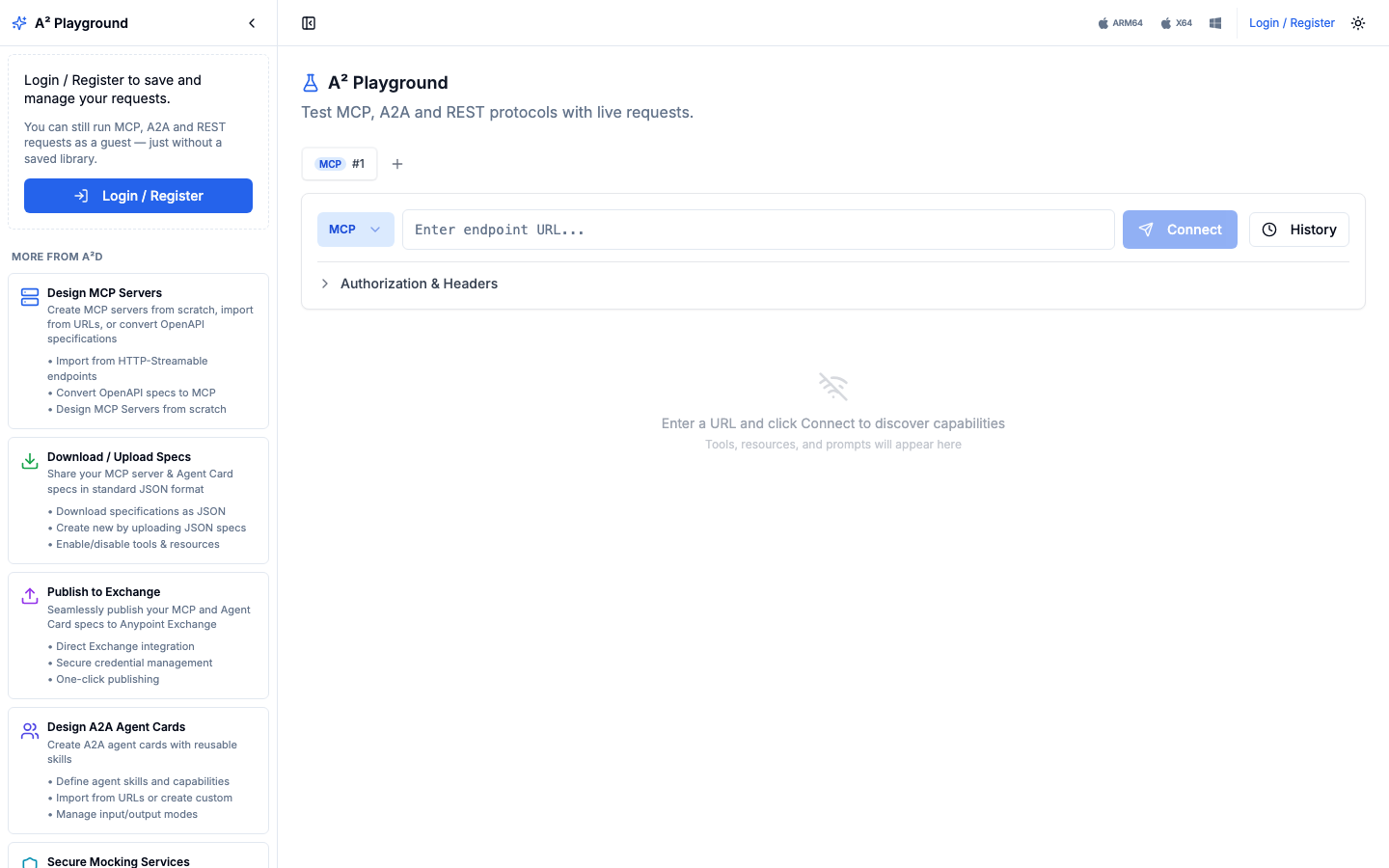
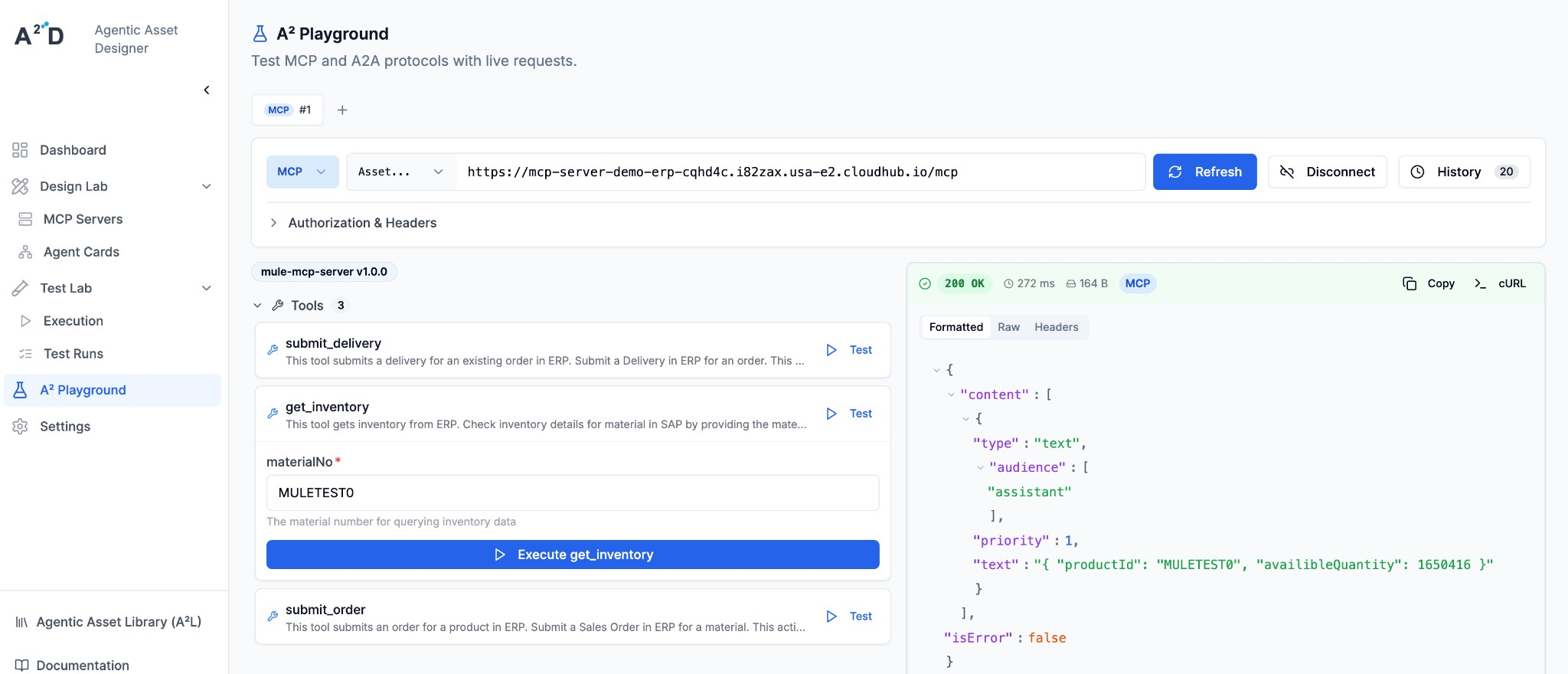
The A2D Playground (A² Playground) is a Postman-style tester for MCP, A2A and REST endpoints. Paste an endpoint URL, connect, and the Playground discovers what the endpoint offers: MCP tools, resources and prompts, A2A agent skills, or REST operations. You then run requests from forms built from their schemas, with no raw JSON needed.
Where You Can Use It
The same Playground is available in four places:
| Where | URL / how | Account needed? |
|---|---|---|
| Hosted web app | a2playground.a2d-ai.com | No (guest mode), or sign in with your A²D account |
| Desktop app | macOS (Apple silicon and Intel) and Windows. See Desktop App | No, or sign in in the app |
| Inside A2D Cloud | A² Playground in the A2D Cloud sidebar, and the Playground / Test tab of every asset | Yes |
| Inside your IDE | VS Code, Anypoint Code Builder and Anypoint Studio. See A2D IDE Extensions | API key |
Guest Mode
Anyone can open a2playground.a2d-ai.com and start testing right away:
- Run MCP, A2A and REST requests against any public endpoint
- Open several requests side by side in tabs
- Set authorization and custom headers under Authorization & Headers
- Re-run recent requests from History
Guest mode doesn’t save a library. The sidebar shows a Login / Register button so you can sign in and keep your requests.
Signed-In Mode
When you sign in with your A²D account, the sidebar adds two trees:
- A²D Assets (read-only): the MCP servers, agent cards and REST APIs of your organization, grouped by protocol. Under each asset you see its environments (for example Mocking Service, Pre-Prod, Prod), and under each environment its mock scenarios. Click a scenario to pre-fill the request.
- My Library: your own folders, saved requests and REST collections. My Library is shared with all members of your organization.
Sign-in is shared across a2d-ai.com. If you are already signed in to A2D Cloud at www.a2d-ai.com, the hosted Playground recognizes you automatically.
The A²D Assets tree is read-only. You edit assets, environments and scenarios in A2D Cloud. To keep your own copy of a request, use Save to My Library. See Collections & A²D Assets.
What You Can Test
| Protocol | What the Playground does |
|---|---|
| MCP | Connects over Streamable HTTP (including SSE responses), lists tools, resources and prompts, and runs them from schema-based forms |
| A2A | Loads the agent card, shows skills and capabilities, sends messages as A2A 1.0 or 0.3.0, streams responses and continues multi-turn tasks |
| REST | Sends any method with path, query parameters, headers, auth and body, and organizes endpoints in collections |
Every response shows status, timing, size, a formatted and raw body, and headers. Copy cURL turns any request into a terminal command. Details: Using the Tester.
Light and Dark Mode
Use the sun/moon toggle in the top-right corner to switch between light and dark themes.
Next Steps
- Desktop App — install the Playground on macOS or Windows
- Using the Tester — discovery, A2A versions, streaming and multi-turn tasks
- Collections & A²D Assets — reusable REST collections and the asset tree
Test any MCP, A2A or REST endpoint in seconds, with or without an account.