A2D IDE Extensions
The A2D IDE Extensions connect your IDE to your A²D account. They work with the REST APIs, MCP servers and A2A agents you design in A2D Cloud, so you can go from a design to a running project without leaving the editor.
Supported IDEs
| IDE | Extension | Install from |
|---|---|---|
 Visual Studio Code 1.82+ | A2D for VS Code & Anypoint Code Builder | VS Code Marketplace. See VS Code & ACB |
 Anypoint Code Builder (desktop) | A2D for VS Code & Anypoint Code Builder | VS Code Marketplace. See VS Code & ACB |
 Anypoint Studio 7.x | A2D for Anypoint Studio | The A²D update site https://www.a2d-ai.com/studio/updates/. See Anypoint Studio |
What You Can Do
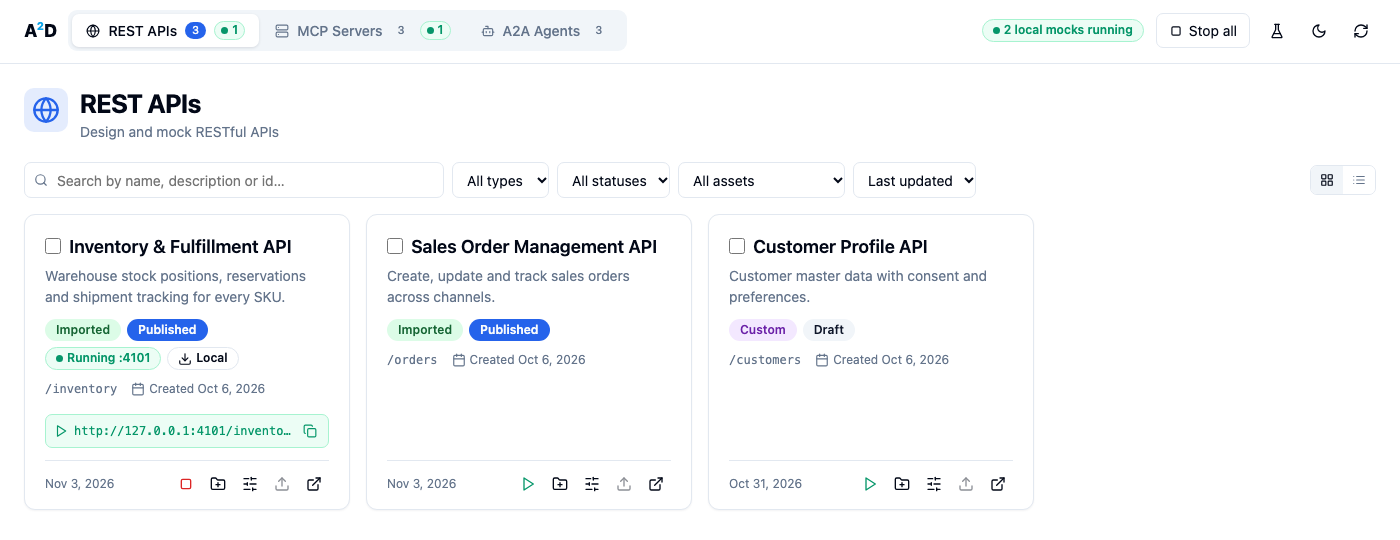
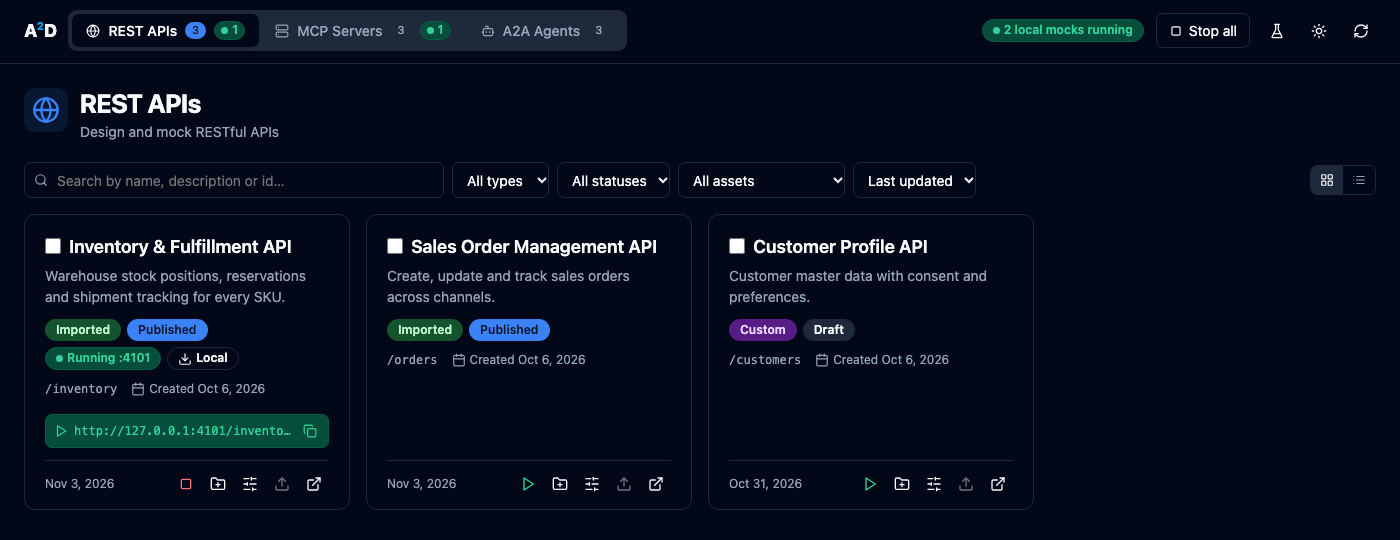
- Browse your assets in the A2D Asset Overview, which looks like A2D Cloud: REST APIs, MCP Servers and A2A Agents tabs, card or list view, search, filters and sorting, in light and dark themes
- Scaffold projects from one asset, a selection or a whole group:
- Mule 4 projects for Anypoint Code Builder and Anypoint Studio
- Python projects (the
mcpSDK,a2a-sdk, or Connexion for REST) - TypeScript and JavaScript projects (
@modelcontextprotocol/sdk,@a2a-js/sdk, oropenapi-backendwith Express for REST)
- Run local mocks that answer exactly like A²D’s hosted mocks, each isolated on its own port
- Edit mock scenarios in an A²D-style editor, then Save & Deploy locally or Push to A2D
- Open the A2D Playground inside the IDE to test hosted endpoints, local mocks and your scaffolded projects
How Scaffolded Projects Are Organized
Every generated project keeps the mock behavior separate from your code:
- The
mocks/module holds the asset’s A²D mock scenarios. The project answers with them until you add real logic - The implementation has one function per MCP tool, REST operation or A2A message, ready for your code
- The complete specs (OpenAPI JSON/YAML, MCP server spec, A2A agent card) are downloaded into
resources/(for Mule projects:src/main/resources/specs/) - Python, TypeScript and JavaScript projects include a
.vscode/launch configuration. Press F5 to install dependencies and start the project in the debugger
Signing In
All extensions sign in with an A²D API key. Create one in A2D Cloud under Platform → API Keys (see API Keys).
| IDE | Where the key goes |
|---|---|
| VS Code / Anypoint Code Builder | Connect to A2D on the A2D sidebar page, or the command A2D: Sign In. Stored in VS Code secret storage |
| Anypoint Studio | Preferences → A2D. Stored in Eclipse secure storage |
Data and Privacy
- The extensions talk only to your A²D server (by default
https://www.a2d-ai.com) using your API key, and to local mocks and the Playground on127.0.0.1 - They send no telemetry
- Local mock snapshots and request logs are stored in
~/.a2don your machine
The A2D IDE Extensions are proprietary software. © A²D - Agentic Asset Designer. All rights reserved.
Next Steps
- VS Code & Anypoint Code Builder — install and use the extension
- Anypoint Studio — install the plugin from the update site
- Local Mocks & Scenarios — run mocks on your machine and edit their scenarios
Design in A2D Cloud, then build, mock and test right inside your IDE.